How to automate Shopify order exceptions without hiring more ops staff
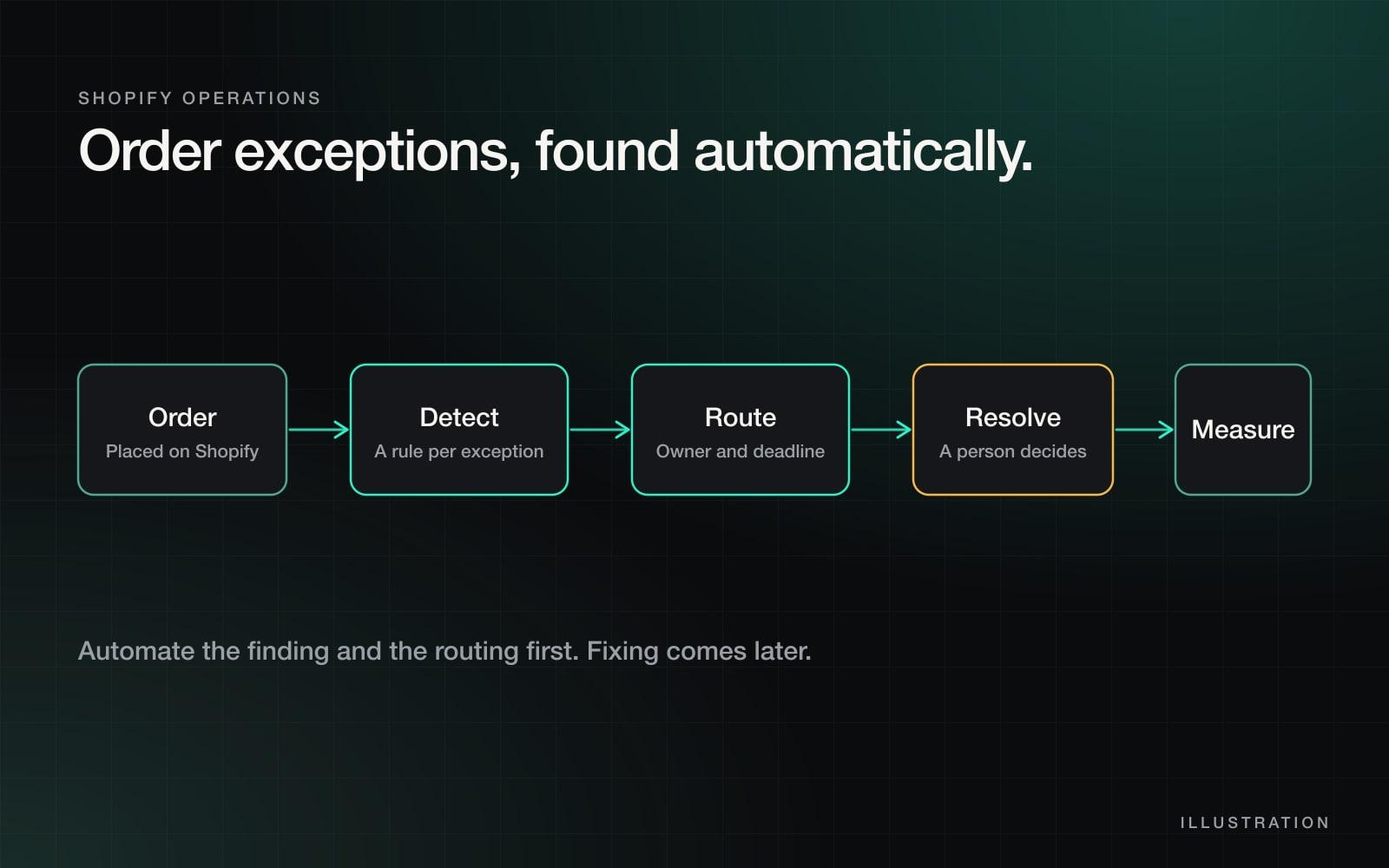
To automate Shopify order exceptions, do four things in order: list the handful of ways an order gets stuck, write one detection rule for each, route every hit to a named owner with a deadline, and measure how long each takes to close. Automate the finding and the routing first. Automating the fix comes later, and only for the cases where the right answer never changes.
That sequence is how I run operations across a portfolio of 17+ Shopify stores without adding a person for every store. This guide shows you how to do it for your own.
What counts as an order exception?
An order exception is any order that cannot move through the normal path without a person looking at it. If a person has to go searching to find it, it is costing you more than it looks.
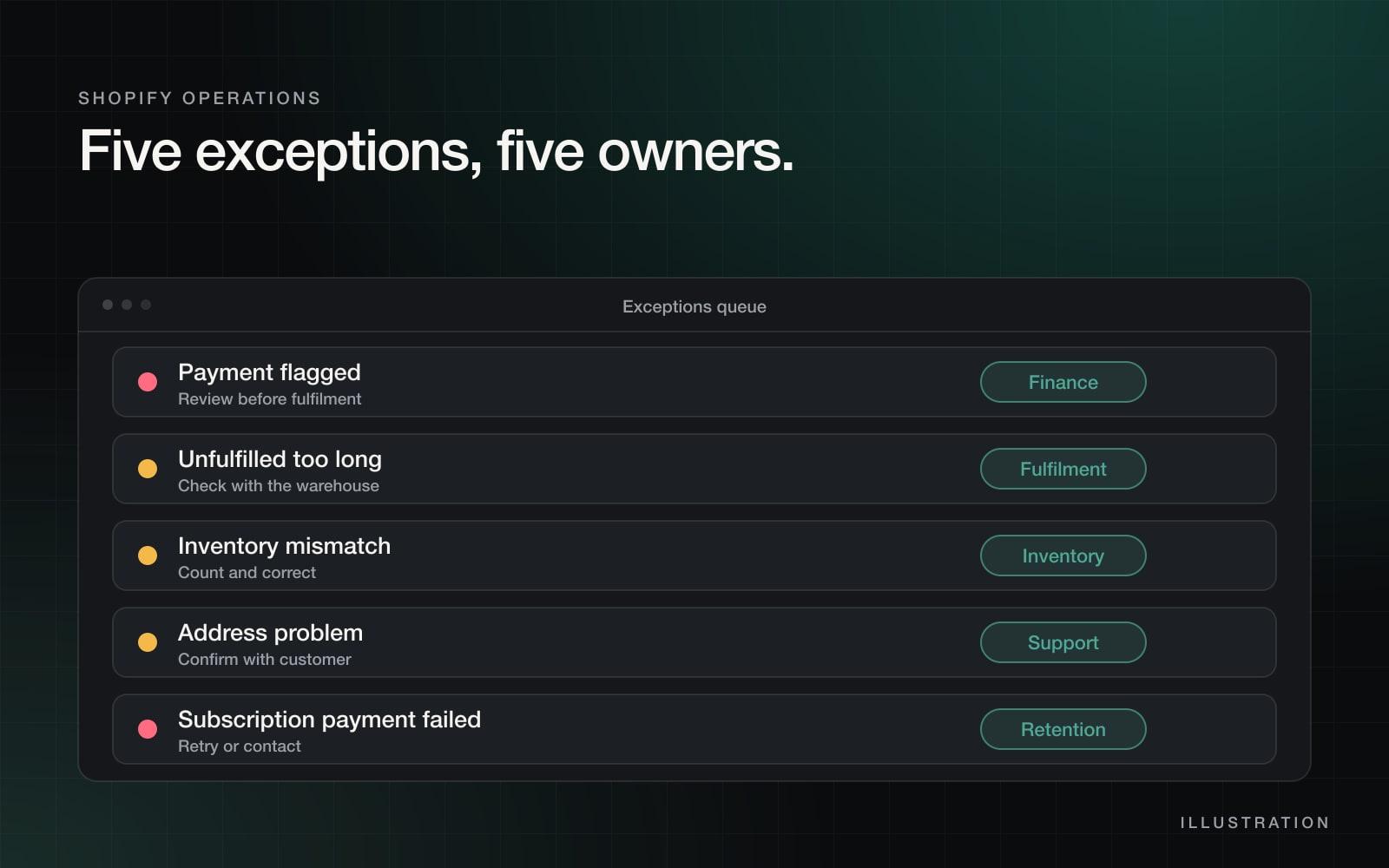
Most stores have the same five or six, and each one has a different way to be detected:
| Exception | How to detect it | Who should own it |
|---|---|---|
| Payment flagged or high risk | Order risk level, or a payment status that is not fully paid | Finance or the store owner |
| Unfulfilled for too long | Created more than a set number of hours ago and still unfulfilled | Fulfilment or the 3PL contact |
| Inventory mismatch | An order for a product the warehouse reports as out of stock | Inventory or purchasing |
| Address problem | Missing fields, a failed validation, or a note from the carrier | Customer support |
| Subscription payment failed | A failed charge event from your subscription app | Retention or support |
| Return or exchange waiting | A return request with no action after a set number of days | Support or returns |
Why spreadsheets and inbox searches stop working
Early on, one person knows where everything is. They read the orders page each morning, remember which ones looked odd and chase them. It works until volume grows, a second person joins or a second store launches.
Then exceptions start to hide. Nobody is sure whether somebody already handled an order. Customers find out about the problem before you do, and the first sign is an angry email rather than an alert.
The fix is not a longer checklist. It is a system where the team starts the day with what broke, not with a list of things that were fine.
The four-step method
1. Define each exception as a rule you can check
Write every exception as a plain sentence that a computer could test: "An order is unfulfilled and was placed more than 48 hours ago." If you cannot write the sentence, you cannot automate it yet, and the first job is to agree on what counts.
Start with three exceptions, not twelve. Pick the ones that cost you the most customer emails.
2. Route each hit to one named owner
A shared inbox is where exceptions go to be ignored. Every exception type needs one owner and one deadline, for example "Fulfilment, same business day." When something lands in front of a person, it should already say what is wrong and what to check first.
3. Let a person decide the fix
Early on, automate the notification, not the resolution. A refund, a cancellation or a re-ship has money and customer goodwill attached. Keep a person in the loop until you have seen enough cases to know which ones are always handled the same way.
4. Measure time to resolve
Count how many exceptions you get each week and how long each type takes from detection to closed. Those two numbers tell you where to spend effort next, and they make the improvement visible when it happens.
A Shopify Flow recipe you can copy
Shopify Flow is Shopify's built-in automation tool. Availability depends on your plan, so check your admin and the Shopify Flow documentation for the current triggers and actions. The simplest useful recipe catches orders stuck unfulfilled:
- Trigger: run on a schedule, for example every few hours.
- Find the orders: look up orders that are still unfulfilled.
- Condition: keep only the ones older than your limit, for example 48 hours.
- Action: add a tag such as
exception-unfulfilledto each order. - Action: send the owner a message listing those orders, by email or in your team chat.
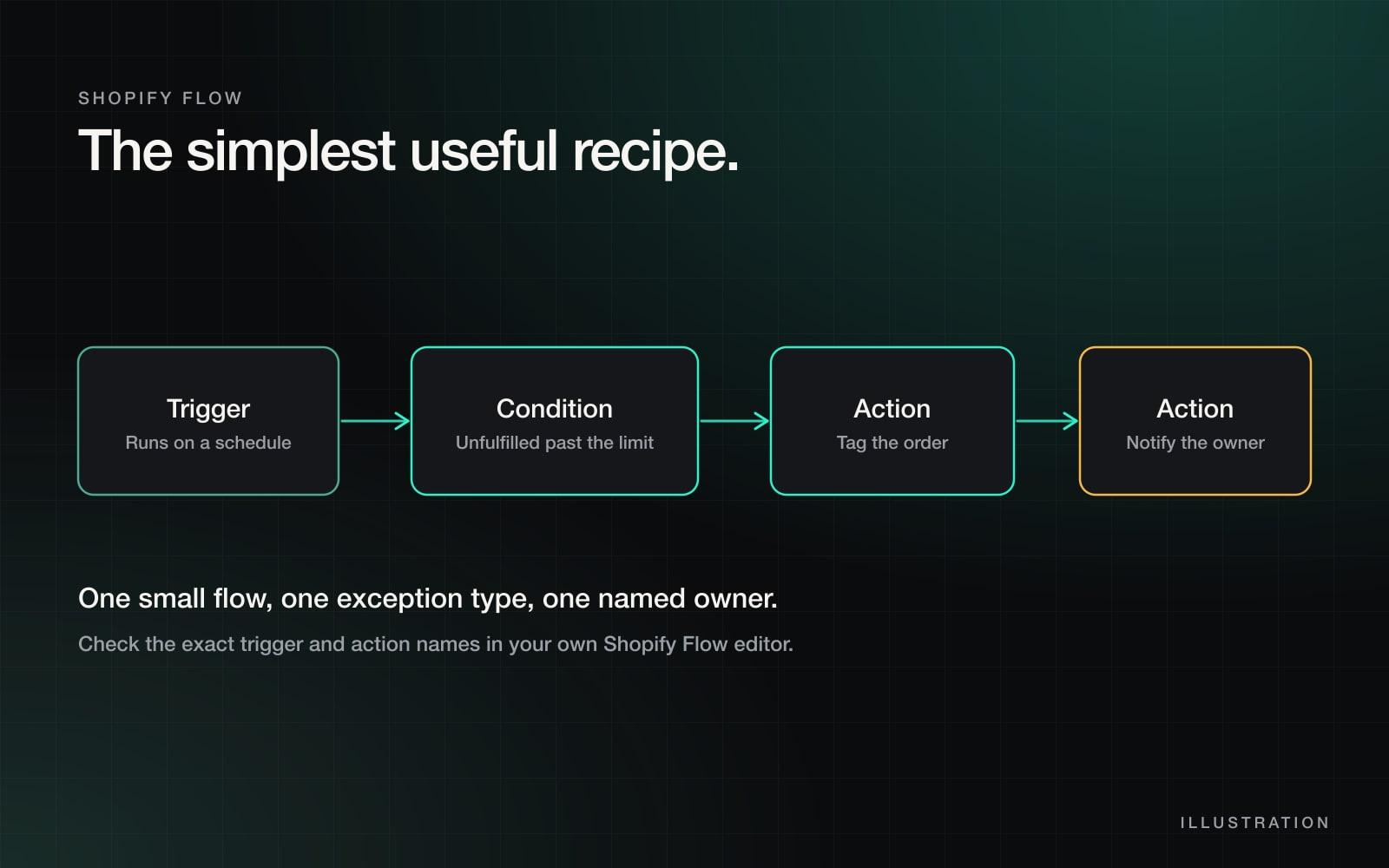
The tag is the important part. It makes the exception visible inside Shopify, easy to filter and easy to count later. Once this one works, copy it for the next exception type.
When Flow is not enough
Flow works well inside one store. It starts to strain when:
- you run several stores and want one view across all of them,
- the information you need lives in your 3PL, your ERP or a spreadsheet and not in Shopify,
- you want the first pass at a problem drafted before a person opens it,
- you need reporting that shows exceptions by type, owner and time to resolve.
That is the point where a small custom layer pays for itself. It reads from Shopify and the other systems, applies the same detection rules everywhere and feeds one queue. I describe how that looks in practice in running 17+ Shopify stores without 17 ops people, and where an AI agent fits in an agent that removed about 100 hours of manual data work a month.
What exceptions cost you
Most teams underestimate this because the time is spread across many small interruptions. Enter your own numbers to see the monthly total.
Try it
What do order exceptions cost your team each month?
- Exceptions a month
- 120
- Hours a month
- 24
- Cost a month
- $600
Illustrative. Use your own figures: the handling time is the whole chain from noticing the problem to closing it, including the searching.
Check your own setup
Check your store
How ready is your store to find exceptions automatically?
0 of 6 in place. Talk through the gaps on a call
Tick what is already true on your store. It runs in your browser and nothing is sent anywhere.
Where to start this week
- Write down your three most common order problems.
- Turn each into a one-sentence rule with a time limit.
- Build the unfulfilled-order flow above and send it to one named person.
- Count exceptions and time to resolve for four weeks.
- Add the next exception type only when the first one is quiet.
If you run several stores, your exceptions sit across systems, or you would like this built for you, see how I approach Shopify operations automation, or book a call and bring your three worst order problems.
Questions people ask
What is an order exception in Shopify?
An order that cannot move through the normal path without a person looking at it. Typical examples are a flagged payment, an order stuck unfulfilled past your limit, an inventory mismatch, a bad address and a failed subscription payment.
Can Shopify Flow automate order exceptions?
Yes, for the detection and routing steps. Flow can run on a schedule or on an event, check a condition, tag the order and notify a person. Availability depends on your Shopify plan, so check your admin. For many stores or outside systems you may need custom automation.
Should I automate the fix or only the detection?
Start with detection and routing. Most of the lost time is spent noticing the problem and working out who owns it. Automating the fix is worth doing later, only for exceptions where the right answer is always the same.
How long does it take to set up?
A single exception type with one owner can be running in an afternoon. Covering all your common exceptions across several stores, with reporting, is a project measured in weeks.