Skip to content
Tayyab Hassan
← All case studies

A procurement assistant and morning digest built on top of the ERP's MCP tools

An in-app chat assistant, scheduled jobs and a Claude Code plugin of six skills that turn the ERP's tools into daily procurement routines, with write access kept away from anything unattended.
6
Plugin skills
3
Skills mirrored in the in-app agent
None by default
Writes available to unattended runs
A procurement assistant and morning digest built on top of the ERP's MCP tools

The situation

With the MCP server in place, a person could ask Claude a question and get an answer from the ERP. But procurement does the same handful of things every morning, and people should not have to remember how to ask for them each time.

The goal was to package those routines so they run the same way for everyone, inside the ERP's own chat as well as in Claude Code, and so some of them can run on a schedule with nobody watching.

What I built

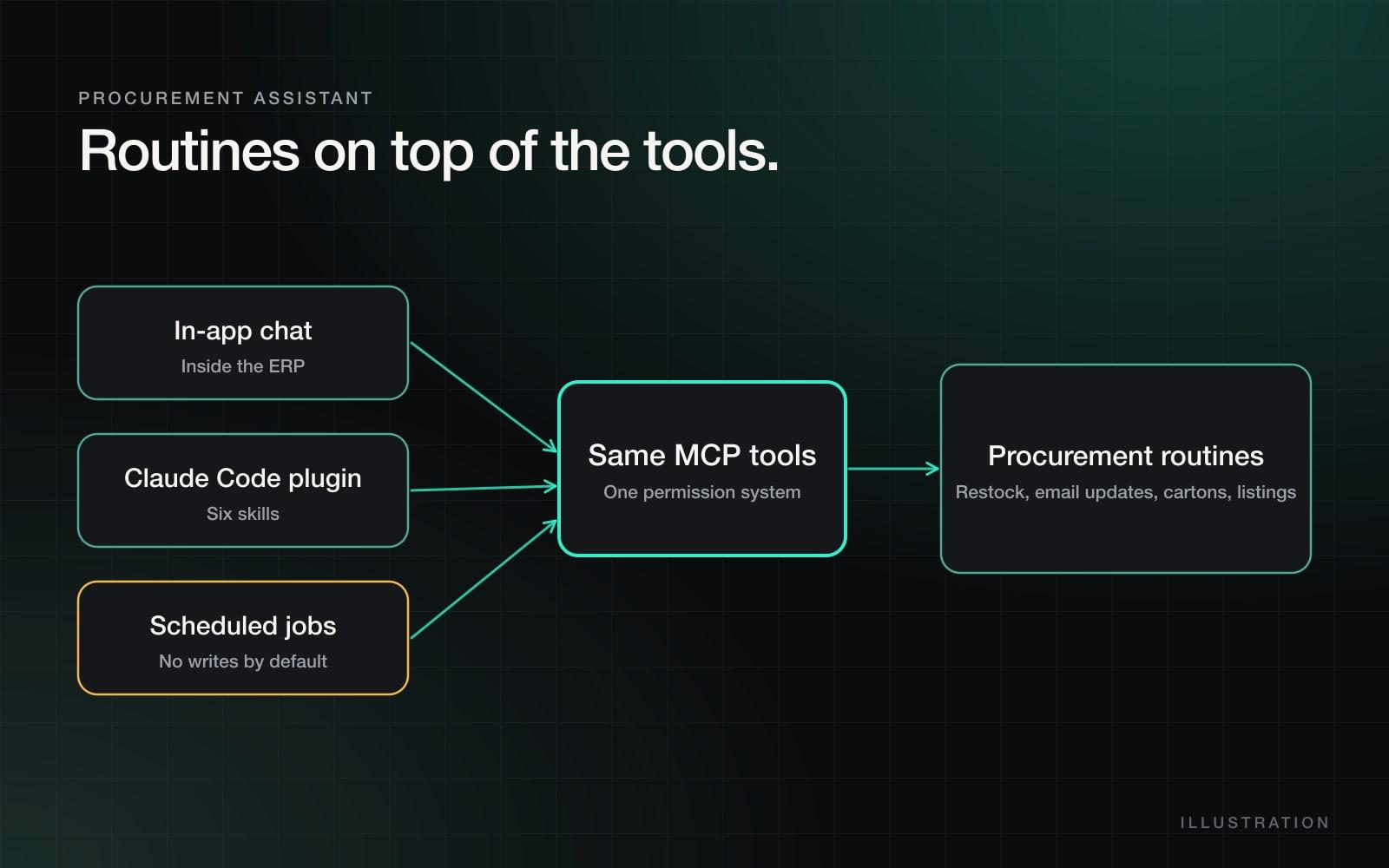
Three pieces that all sit on the same tools:

  • An in-app chat assistant. It lives inside the ERP and calls the MCP tools in-process over an in-memory transport, so there is no network hop. It signs in as the person using it, so it can only see and do what they can.
  • A Claude Code plugin. It bundles the MCP server with six instruction skills, so a procurement person gets the routines by installing one thing.
  • Scheduled jobs. The same assistant can run on a timer and store its output for someone to read.

The skills

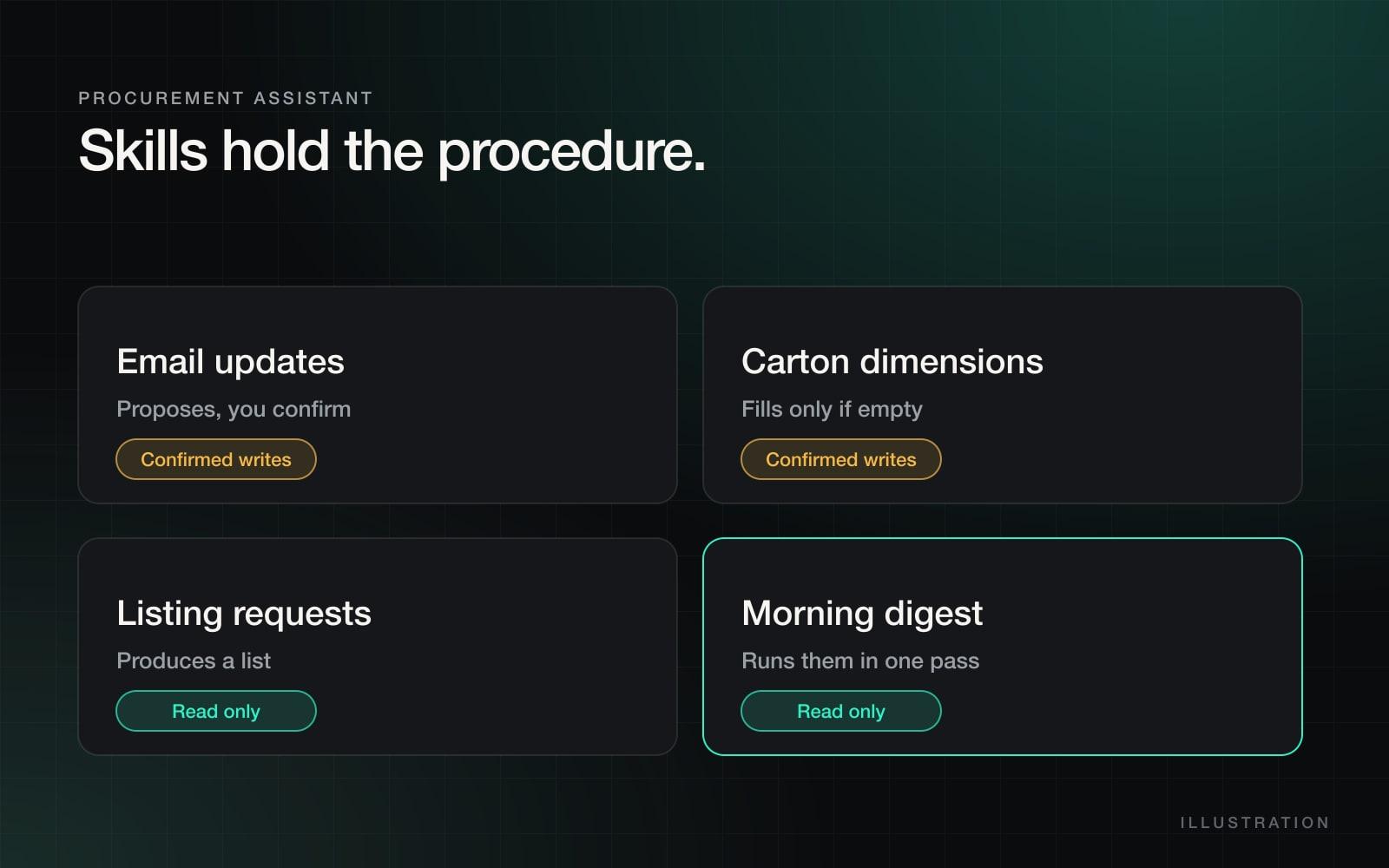
Skills hold the procedure. The tools hold the access. Three of the six are also available inside the in-app assistant.

  • Email updates. Read supplier mail for "shipped", ETAs and invoices, match each message to a purchase order, propose the status or date change, and apply only the ones the person confirms.
  • Carton dimensions. Read one-line carton replies, check whether the PO's packaging card is already filled, and write it only when it is empty. If the email disagrees with what is stored, report the mismatch and change nothing.
  • Listing requests. Scan purchase orders approved since the last run, skip listing ids already requested in the previous two days, and produce a list for another team. It does not create the request itself.
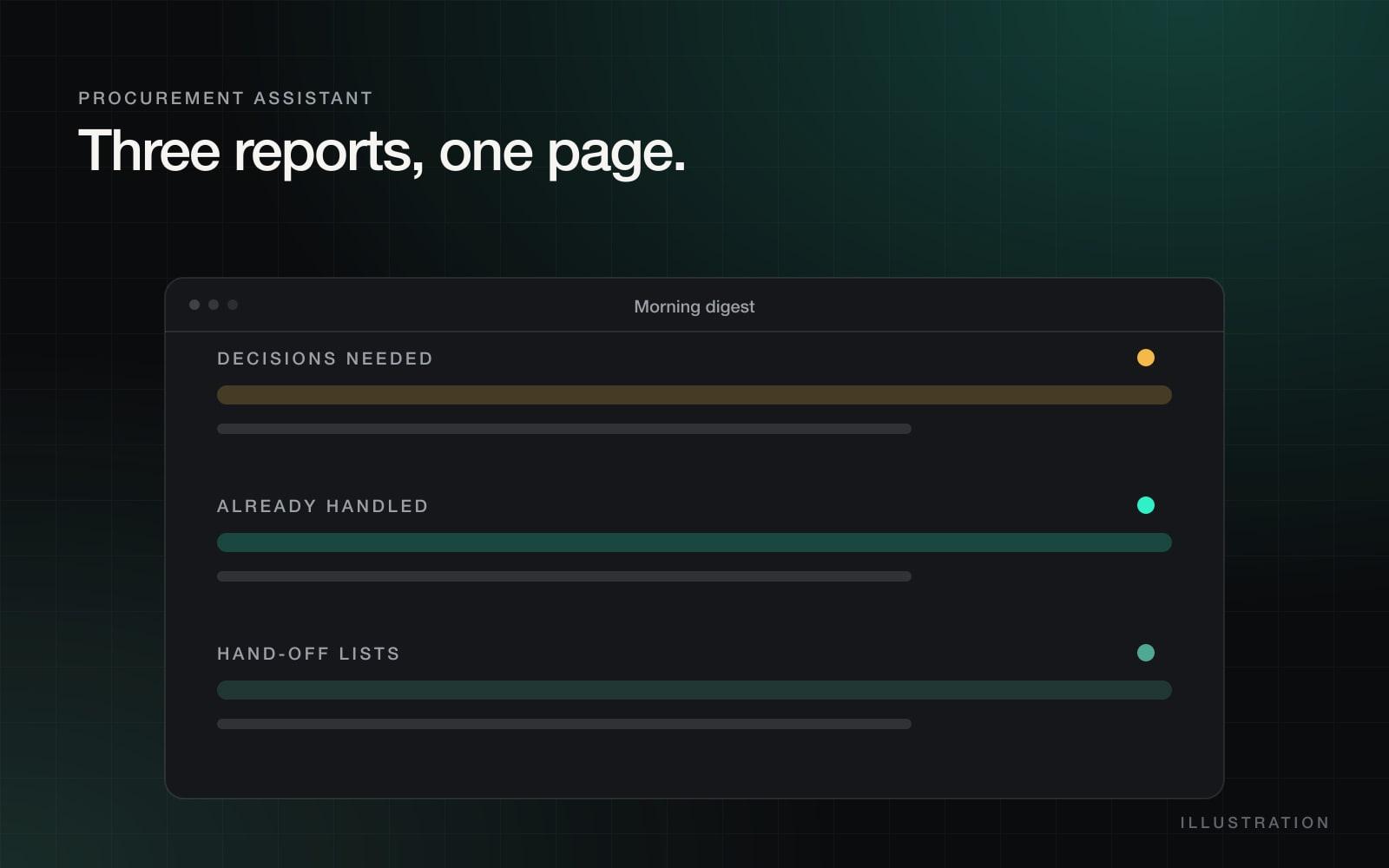
  • Morning digest. Runs the email, dimensions and listing-request skills in one pass and returns a single page: decisions needed, anything already written under strict rules, and lists to hand on.

Keeping unattended work safe

  • No writes by default. The in-app assistant and scheduled jobs hide every tool that creates, updates, sets or deletes, unless a server flag is turned on. A second check blocks a write even if the model invents a tool name. The external MCP endpoint still has the write tools, on purpose, because a person confirms each one there.
  • Throwaway credentials for schedules. Interactive login sessions expire in about a minute, so a scheduled run mints a personal token that lives at most twenty minutes and is revoked when the run ends. A leaked token cannot mint another.
  • Permission errors are not retried. The assistant's standing rules say to quote the API's message and stop, so a denied action is visible instead of being worked around.
  • Email is treated as evidence. Message text is marked untrusted and is never followed as an instruction.

What it replaced

A procurement manager opening three separate morning reports, one for supplier email updates, one for missing carton sizes and one for newly approved POs. They now get one page that says what needs a decision and what has already been handled.

What I would do next

Record runs and outcomes so the time saved is measured, and decide case by case which confirmed writes could be allowed to run unattended once the accuracy is on record.

Summarize with AI

Screens

What it looks like.

A procurement assistant and morning digest built on top of the ERP's MCP tools, screen 1
A procurement assistant and morning digest built on top of the ERP's MCP tools, screen 2

Keep reading

A 17-module ERP that 250 people use every day

One system replacing a decade of parallel spreadsheets at Amazify, built module by module across 18 departments without stopping the business, and maintained as their web partner for four years since.

Next step

Let's find the manual work in your business.

Thirty minutes. Bring one process that keeps breaking and we will map what it would take to automate it, whether or not you hire me.